
Scrap Sales Order Software that closes the loop
Scrap sales order software that takes a quote through confirm, inventory reservation, multi-tranche dispatch and invoice in one workflow. Every customer commitment is one record from first quote to final payment.
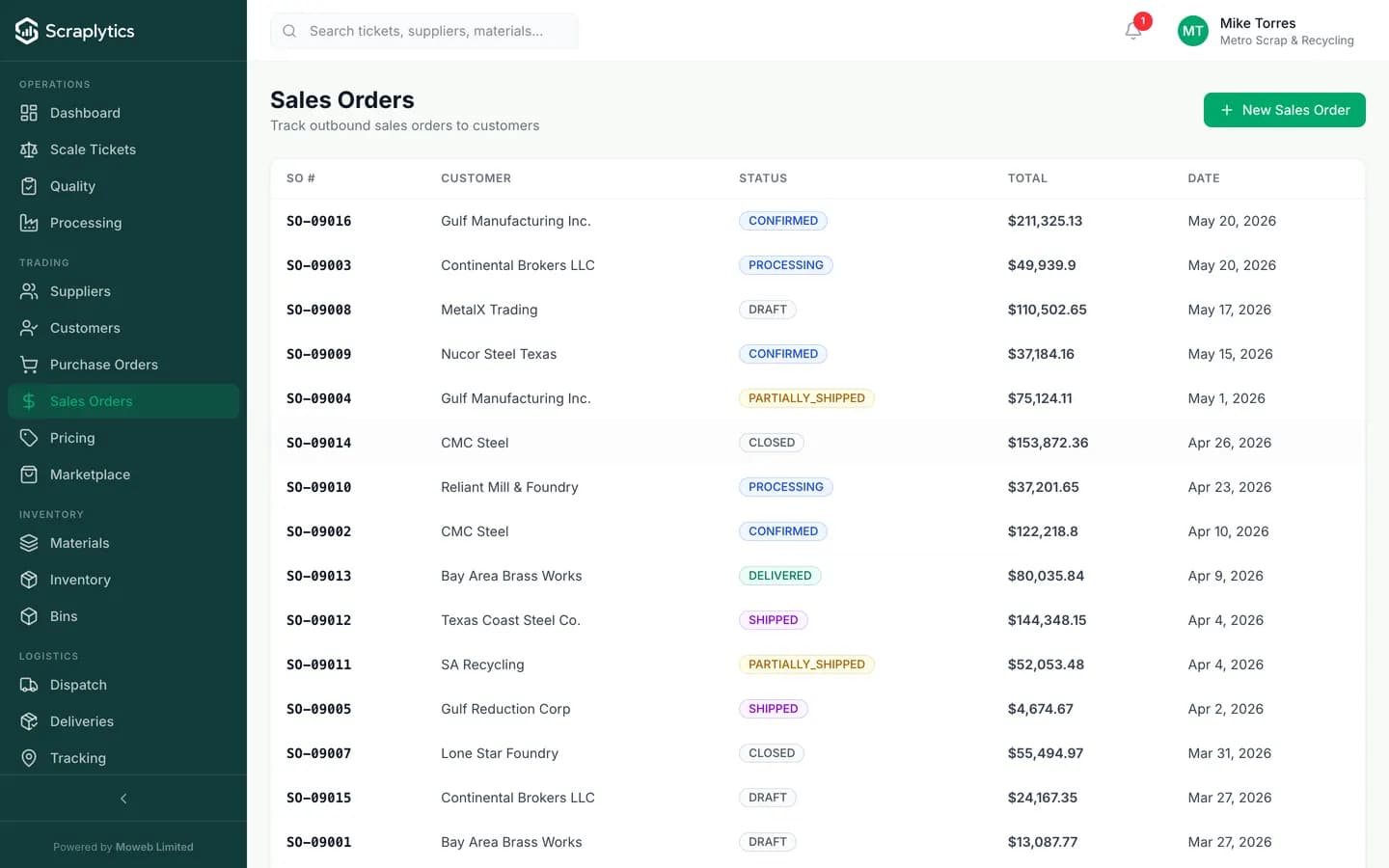
From draft to delivered, every order statused live.
Why sales order software pays back fast
The buy side of a scrap yard gets all the attention. The sell side - where margin is locked and customer relationships live - usually runs on faith and Excel. Time to fix that.
Sales takes an order over the phone, writes it on a sticky note, tells dispatch "load it tomorrow." Two days later the customer asks where their order is and nobody can find the note.
Every order is a tracked record with material, weight, price, delivery window and reserved inventory. The customer gets a PDF confirmation; dispatch sees the loadable orders on their board.
You promise 50 tons of #2 copper for next Tuesday. Tuesday comes, you only have 38 tons because someone else sold the same stock yesterday. Now you have a chargeback and a relationship problem.
Confirmed sales orders reserve inventory at the lot level. The available-to-promise number drops in real time. The next salesperson sees there are only 12 tons left to sell, not 50.
A customer has six open orders at three different price points because the market moved during the negotiation. Pricing on the invoices is wrong half the time and you eat the difference.
Each line item carries its locked price from the moment the customer accepts. Invoices reference the SO and the price; market moves do not retroactively change a customer's confirmed price.
Inside the sales engine
Quote-to-cash that actually closes the loop
A quote becomes a sales order with one click when the customer accepts. The SO drives the dispatch board, the dispatch creates the invoice, the invoice gets paid. Each step links back to the original quote, so when a customer asks "what did we agree on" the answer is a single click, with timestamps.
Multi-tranche dispatch for orders that ship in pieces
Large orders almost never ship as a single truck. A 200-ton order might dispatch across eight roll-offs over three weeks. The SO tracks each tranche as a separate dispatch with its own POD, weight ticket and invoice line. Customer sees fulfillment progress in real time on their portal.
Credit limits and terms that hold the line
Each customer has a credit limit, payment terms, and an outstanding balance. When sales tries to confirm an order that would push the customer past their limit, the system blocks - or asks for manager override with a reason. Soft warnings flag terms-stretched customers before you load the truck.
What you get
Frequently asked questions
Does an SO automatically deduct from inventory when I create it?+
It reserves, but does not deduct. Inventory is split into available and reserved buckets. The actual stock deduction happens when the dispatch leaves the yard with its proof-of-delivery. A cancelled SO releases its reservation immediately.
Can I have customer-specific contract pricing?+
Yes. Each customer can have their own price book: contract rates per material, tier discounts by volume, special pricing windows. When you create a quote or SO for that customer, the contract price applies automatically.
What happens if a customer wants to change an order after confirmation?+
Quantity changes, delivery date changes, and material grade changes are all allowed via a change order that creates an audit-logged amendment. Price changes require a manager approval. Cancellations release the inventory reservation and the order shows as cancelled with the reason.
Does invoicing happen automatically?+
Yes, on the rule you choose: per-dispatch (one invoice per truck), per-SO (one invoice when all tranches complete), or per-period (consolidated weekly or monthly statement for high-volume customers).

Ready to modernize your scrap yard?
Start your 14-day free trial today and be writing digital tickets by tomorrow. No credit card, no contract.
- No credit card required
- 14-day free trial
- Cancel anytime