
Scrap Processing Software, measured
Scrap processing software for shred, shear, baler and torch operations. Every work order tracks input vs output, yield, cost and lineage. Stop guessing what your processing actually produces.
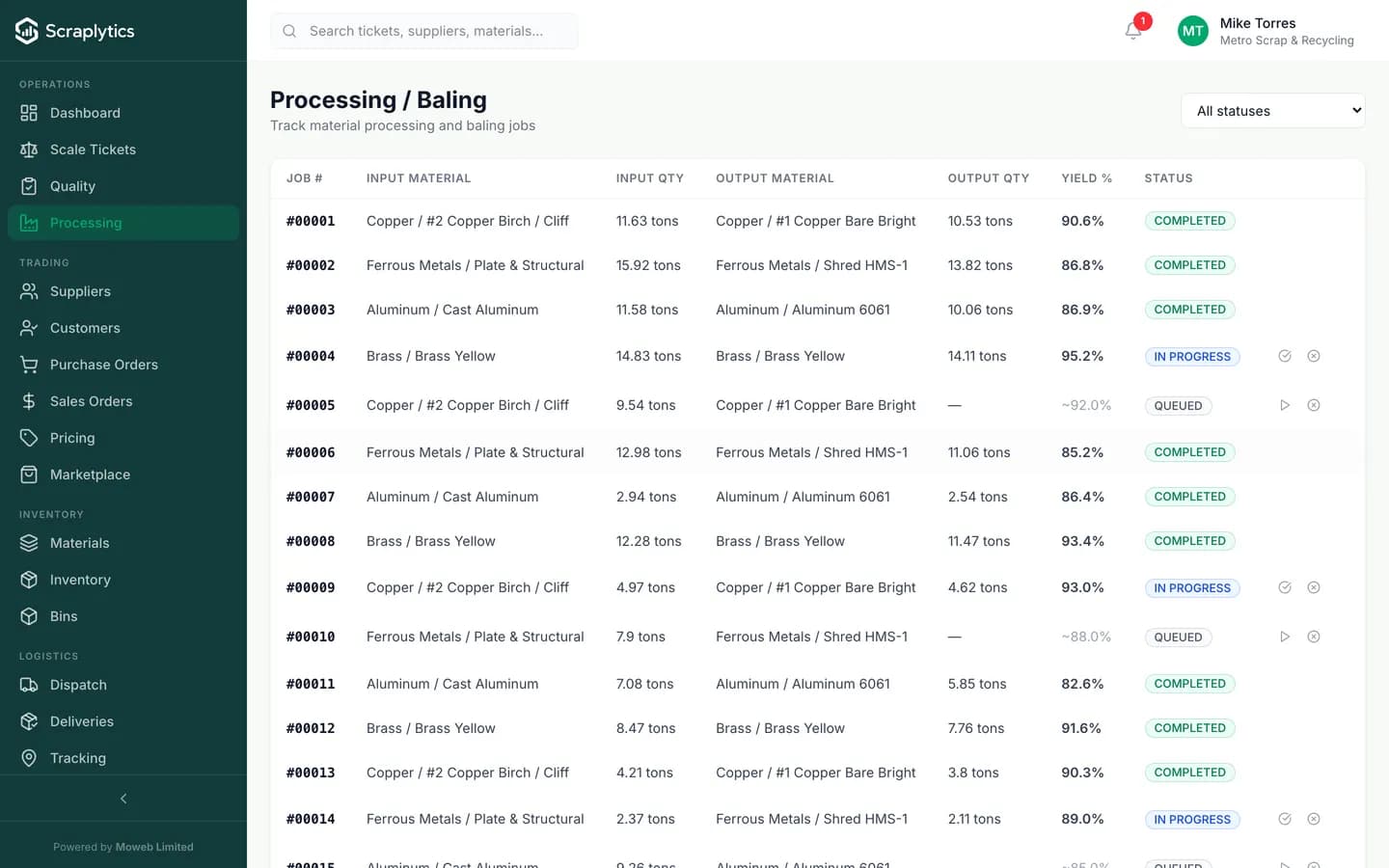
Input lots in, output lots out, yield computed live.
Why processing yards adopt scrap processing software
Processing is where most of the money is made or lost on the same physical material. Two-percent yield differences compound into your annual margin.
You shred a pile of mixed steel and call it 12 tons of output. The accountant types it in. Nobody knows what the input pile was, what the yield was, or whether the shredder is degrading.
Every processing run is a work order: inputs in, outputs out, weights captured automatically, yield computed. Daily yield dashboard catches a drifting machine before it costs you the month.
Customer rejects a load for contamination. You suspect it came from a specific intake batch but you have no way to trace shredded material back to the supplier lot it came from.
Every output lot carries the IDs of every input lot it was built from. Trace a downstream rejection backwards in two clicks - which supplier, which intake date, which inspection - across however many process steps.
You quote a customer at a "cost plus" rate but you actually do not know your true cost of producing that grade. Labor, energy, machine wear, scrap - all guessed. Margins are a hope, not a number.
Cost-per-ton aggregates input material, labor hours, machine time and overhead at the batch level. The "what does it really cost me to produce shred grade A" question has an answer that updates with every run.
How a work order flows
Open the work order
Pick the input lots, the target output grade, the machine and the operator. The system reserves the input weight and queues the job on the production board.
Run the operation
Operator confirms start, runs the shredder/shear/baler/torch, then captures the actual output weights and grades. Photos and machine readings can attach if your setup pushes them.
Close the loop
On completion, input lots deduct, output lots post to inventory with cost basis, yield % is computed, scrap goes to the scrap register, and the WIP queue updates. Same atomic step.
Inside the processing engine
Yield tracking that catches drift before it costs you
Every work order computes input weight vs sum of output + scrap. The system tracks this per machine, per operator, per material, per shift. A shredder that drops 2% on yield this week vs its 30-day average shows up red on the production dashboard. Often it is a worn liner, a fueling issue or a feed-rate problem you can fix in an hour - if you catch it early.
Lot traceability across every process step
Output lots carry references to their input lots, all the way back to the original scale ticket and supplier. If a downstream customer rejects your bale, you trace the bale backwards: which work order, which inputs, which intake dates, which suppliers, which inspector. The chain is one query, not a half-day of paper archaeology.
Cost-per-ton that includes the costs you forget
Input material cost rolls in automatically (the lots already have a WAC). Labor cost is captured from operator hours on the work order. Machine cost rolls in from your machine cost-per-hour configuration. Energy and overhead can be allocated per batch or per shift. The unit cost number is finally one that includes the costs you usually ignore.
What you get
Frequently asked questions
Can I process across multiple steps - e.g. shred then baler?+
Yes. Every output lot can become the input to a subsequent work order. Multi-step process chains are tracked as a single lineage so the trace goes all the way back to original intake regardless of how many steps it passed through.
How do you handle scrap and rework?+
Every work order can declare scrap (waste, dust, low-grade fallout) with a weight and a grade. Scrap lots go to a separate inventory bucket with their own cost basis. Rework is a special kind of input that runs through a process step a second time.
Can I track multiple machines and operators?+
Yes. The Resources screen lists every machine, its cost-per-hour, and its capacity per shift. Operators are first-class users with roles, hours and certifications. Work orders bind to specific resources so utilization and operator productivity reports work.
Does processing post to inventory automatically?+
Yes. The moment a work order is marked complete, input lots deduct, output lots are created in inventory with their cost basis carried through, and any scrap lots are posted to the scrap register. There is no second "post to stock" step.

Ready to modernize your scrap yard?
Start your 14-day free trial today and be writing digital tickets by tomorrow. No credit card, no contract.
- No credit card required
- 14-day free trial
- Cancel anytime