
Scrap Yard Invoicing Software, streamlined
Scrap yard invoicing software that auto-generates invoices from your scale tickets, accepts every payment method, and reconciles every rupee, dollar and dirham in real time. Syncs to QuickBooks, Xero and Tally. No more spreadsheet headaches.
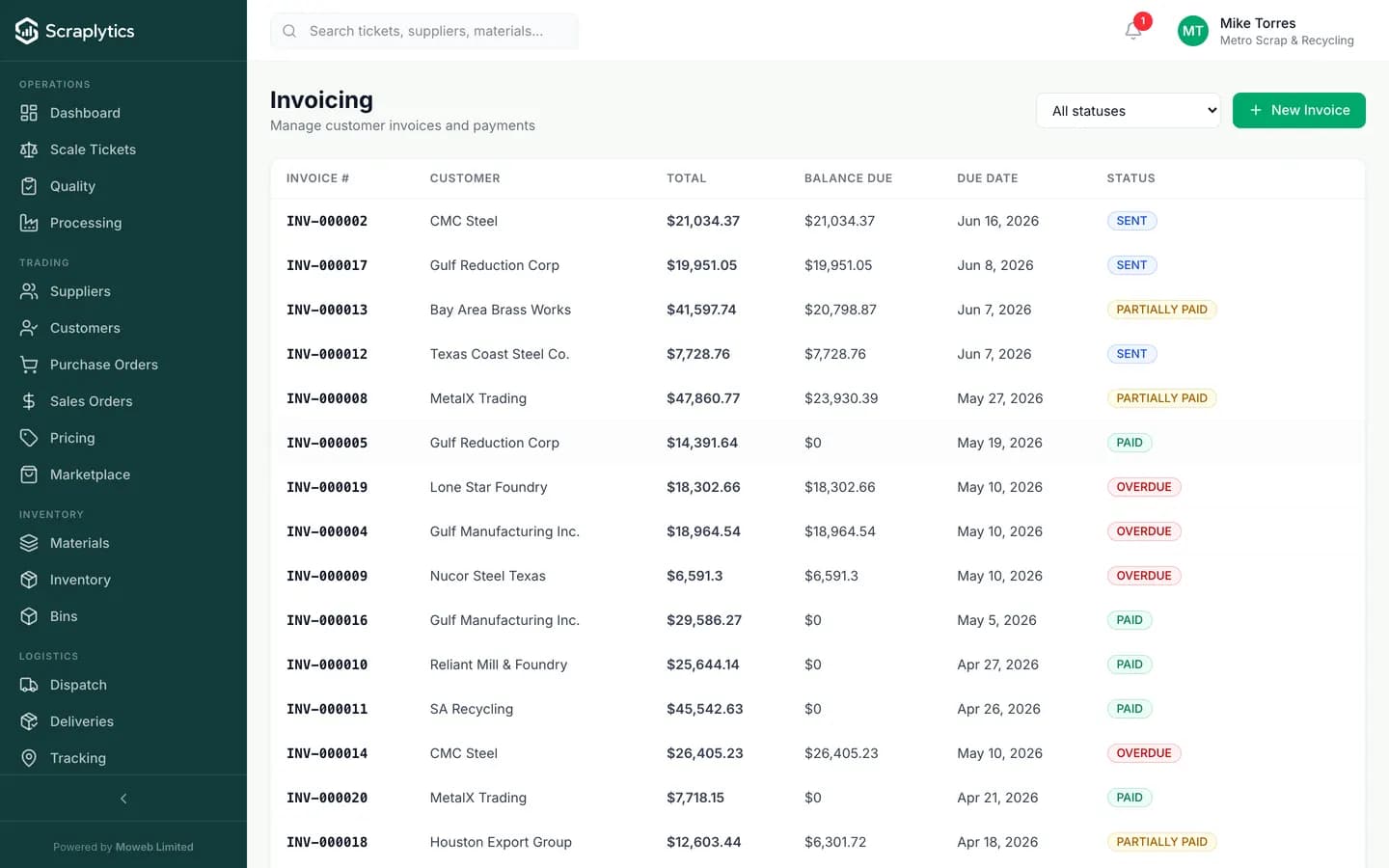
SENT / PAID / PARTIALLY PAID / OVERDUE at a glance.
Why scrap yards adopt invoicing software first
The cycle from "weighed in" to "cash in the bank" is where scrap businesses leak the most working capital. Compress that cycle and everything downstream gets easier.
End of day: pile of paper tickets, accounting types each one into the books, generates invoices, emails them out, then chases payment by phone. The cycle from load-in to cash-in takes weeks.
Every approved ticket auto-creates an invoice. Email, SMS or supplier-portal delivery is automatic. Online payment links shrink the cycle from weeks to days, sometimes hours.
Bank statement comes in. Somebody manually matches each deposit to an invoice, with mistakes. Disputes over "I paid that" drag on because nobody is sure which payment cleared what.
Payments are auto-matched by reference, amount and customer. The reconciliation screen highlights the few unmatched payments. You stop spending Friday afternoon in a spreadsheet.
Tax rates and GST/VAT splits change. Your accountant emails you the new rates, somebody updates one form, forgets the others. A surprise audit later turns up undercharged tax on 200 invoices.
Tax setup is one screen. Every invoice applies the right rate for the buyer's location and material category, including reverse-charge and exempt cases. The tax report is one click at filing time.
Inside the billing engine
Invoices that build themselves from real activity
Every approved scale ticket, dispatch and sales-order line item rolls into an invoice on the cadence you choose - per-load, daily summary, weekly statement or monthly. Customers can opt into supplier-portal self-billing for high-volume relationships. The invoice carries the ticket photos, weights and grades so disputes have evidence baked in.
Every payment method your customers actually use
Cash, check, ACH, wire, UPI, Razorpay, Stripe card and bank transfer are all first-class. Customers click a pay link in the emailed invoice, or use the portal, or walk in and pay cash. Each method clears against the same invoice and posts to the right GL account. Multi-currency yards run USD, INR, AED and EUR side by side.
Tax and accounting integration without re-entry
GST, VAT and US sales tax are computed per line item with state-aware rules. Filings (GSTR-1, GSTR-3B, sales-tax returns) export in one click. Sync with QuickBooks Online, Xero, Tally Prime and Zoho Books pushes invoices, payments and adjustments into your books automatically, so your accountant stops asking you for spreadsheets.
End-to-End Billing
Frequently asked questions
Can I auto-bill a supplier for high-frequency loads?+
Yes. Pick a billing cadence per customer (daily, weekly, fortnightly, monthly) and the system rolls all approved tickets in that window into a single statement invoice. Suppliers see a single charge instead of 80 small ones.
How does payment reconciliation handle partial payments?+
Partial payments are tracked against the invoice with a running balance, status changes to PARTIALLY PAID, and aging reports treat the remaining amount with the original due date. Multiple part payments from different methods (one in cash, one by ACH) all reconcile cleanly.
Does it support multi-currency for export sales?+
Yes. Each invoice carries a currency, an exchange rate at issuance, and the GL posts in both transaction currency and home currency. FX gain/loss on settlement is calculated automatically. Useful for yards that ship abroad or sell to overseas mills.
How does sync with QuickBooks or Tally work?+
You connect your accounting account once. Invoices, payments, credit notes and adjustments push to the right ledger accounts on a schedule you set (real-time, hourly, daily). You can map Scraplytics tax codes to your accounting tax codes per material - the sync respects that map.

Ready to modernize your scrap yard?
Start your 14-day free trial today and be writing digital tickets by tomorrow. No credit card, no contract.
- No credit card required
- 14-day free trial
- Cancel anytime